
Download Ping For Life – ping tool, website monitor, server status, network check, ping utility, network diagnostics
Overview
Ping For Life is a lightweight mobile application designed to assist users in monitoring the connectivity and responsiveness of websites and servers. The app enables users to input IP addresses or domain names and initiate ping tests to assess network stability and uptime. Its primary purpose is to provide real-time feedback on network performance, making it particularly useful for individuals managing online services, remote work setups, or network-dependent operations. By automating the ping process at set intervals, Ping For Life helps users detect outages or delays without constant manual intervention.
Target users include IT professionals, system administrators, remote workers, and tech-savvy individuals who require consistent network visibility. The app is especially valuable in environments where uninterrupted connectivity is critical, such as online businesses, cloud-based operations, or home office setups. Although the developer did not provide additional technical background, the app’s longevity—first released in 2010—suggests a stable, well-maintained utility with enduring relevance in the productivity space.
Real-world use cases include checking the status of a home server, verifying the availability of a cloud-hosted application, or confirming network responsiveness after a router restart. In the broader app ecosystem, Ping For Life occupies a niche as a no-frills diagnostic tool, offering essential functionality without the complexity of full-featured network monitoring platforms. Its minimal footprint and focus on core functionality make it a reliable companion for users seeking straightforward network diagnostics on mobile devices.
Key Features & Functionality
- Quick Status Checks: Users can perform ping tests on any website or server within two seconds, delivering immediate feedback on connectivity. This rapid response supports fast troubleshooting during network issues.
- Automated Pinging: The app allows users to schedule ping checks at specific intervals, ensuring continuous monitoring without manual input. This feature is ideal for tracking long-term network reliability.
- Multiple Simultaneous Checks: Ping For Life supports checking multiple URLs and IP addresses concurrently, enabling comprehensive network oversight without switching between tools.
- No Internet Interference: The app runs in the background without disrupting active internet usage. Users can browse, stream, or work while the app monitors selected endpoints.
- Easy-to-Use Interface: With a clean, minimal layout, the app is accessible to users of all technical levels. Simple input fields and clear status indicators reduce the learning curve.
For example, a remote worker could set up the app to ping their company’s internal server every five minutes, receiving alerts if the connection drops. Similarly, a small business owner might monitor their website’s availability during peak hours to ensure customers can access services. The ability to run multiple checks simultaneously allows users to track several critical services at once, improving operational efficiency. Each feature is designed to enhance reliability and reduce downtime, making Ping For Life a practical utility for real-time network validation.
Interface, UX & Performance
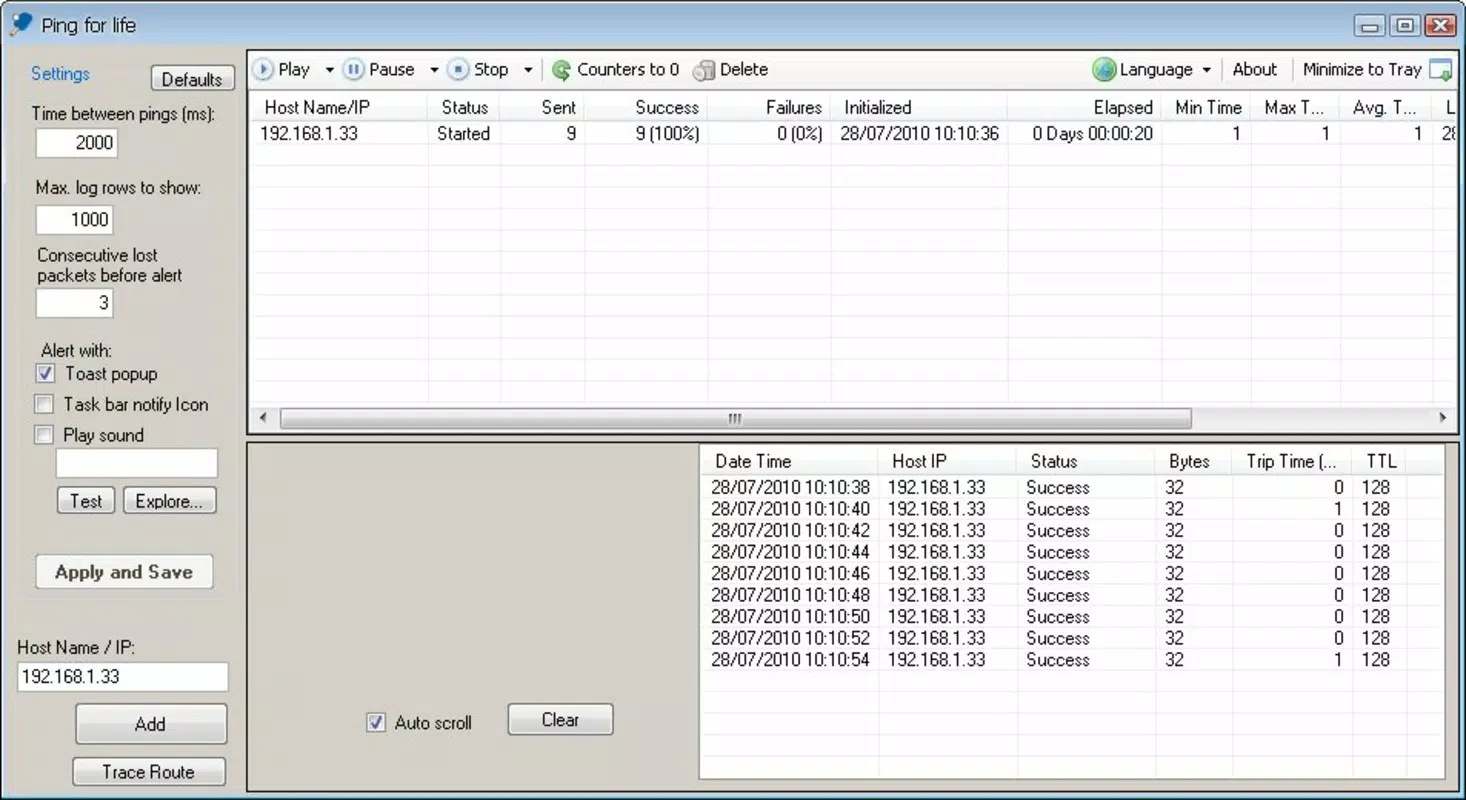
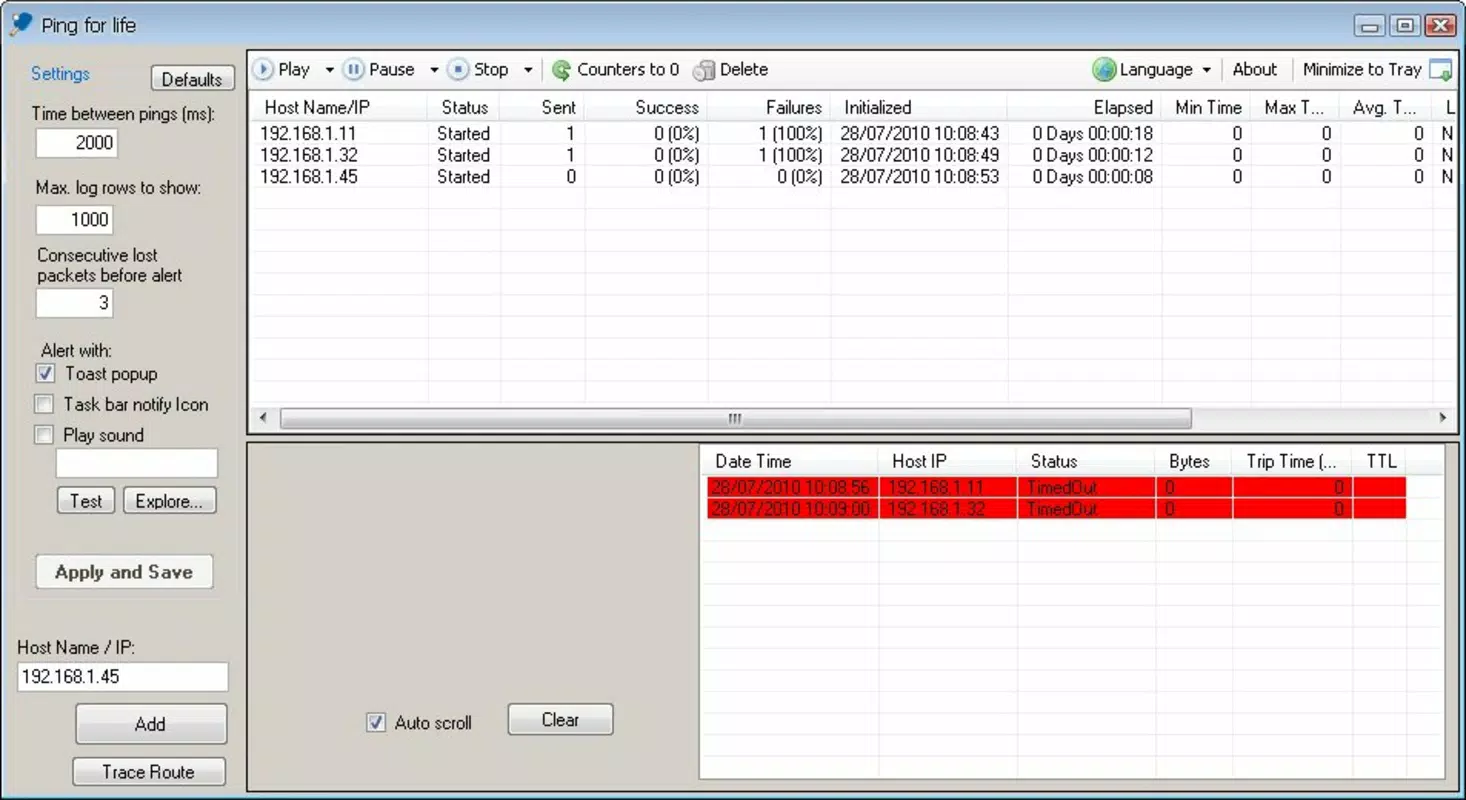
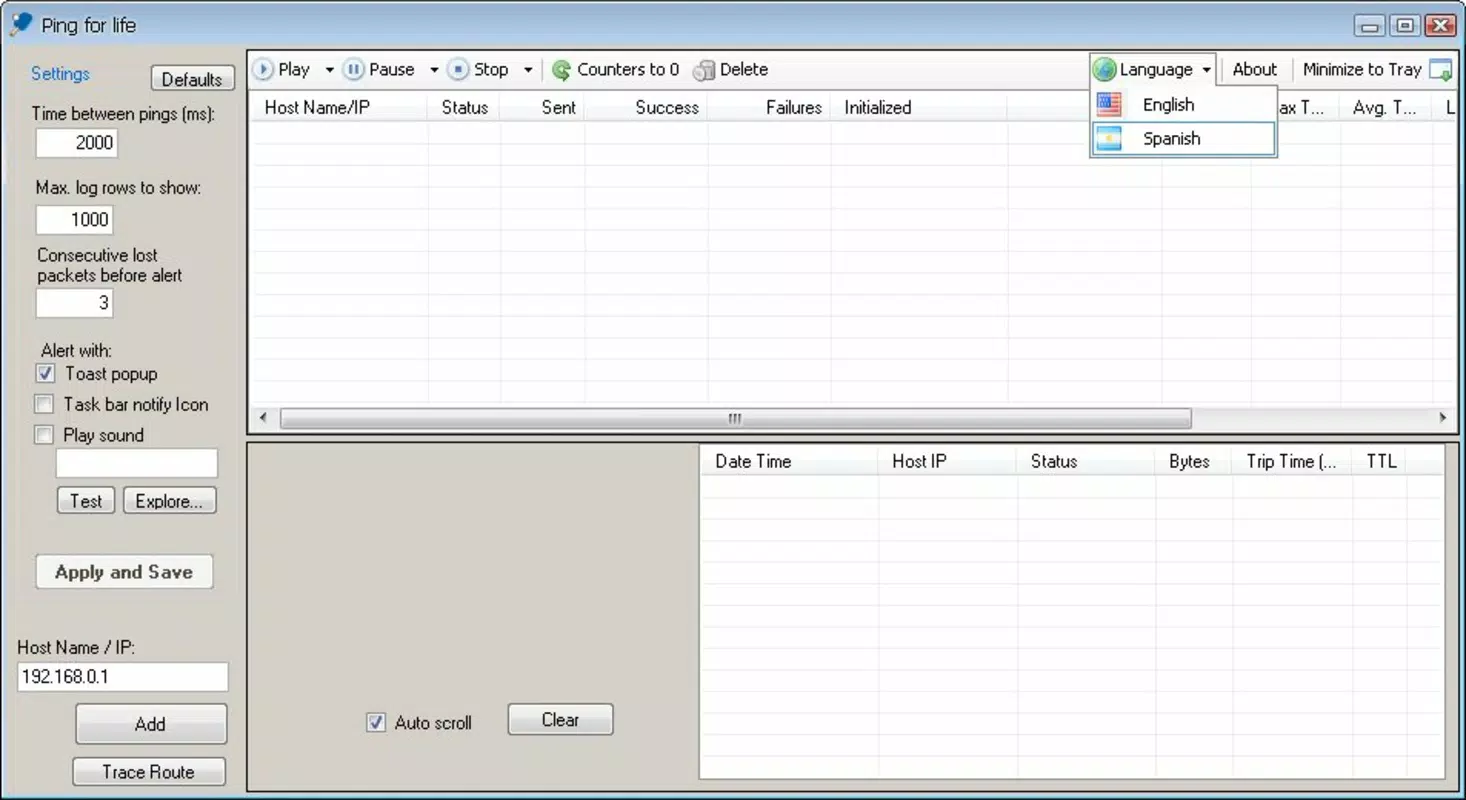
Ping For Life features a straightforward, no-nonsense interface focused on functionality over visual flair. The layout is minimal, with clearly labeled input fields for IP addresses or domain names, a start/pause button, and a real-time log display showing ping results. Navigation is intuitive, requiring only basic touch interactions to configure and run tests. The app avoids clutter, ensuring users can quickly access core functions without distraction.
Although the developer did not list formal performance metrics, the app’s lightweight size of 1.1 MB suggests efficient resource usage. It is likely optimized for older Android devices, which aligns with its long-standing presence in the market. The app operates in the background without affecting ongoing internet activity, indicating stable performance and low system impact. Users can expect consistent responsiveness across a range of device categories, from budget smartphones to mid-tier models.
Stability appears to be a strength, given the app’s release history spanning over a decade. While no official updates have been documented, the lack of reported issues suggests reliable operation. The absence of ads or in-app purchases further contributes to a clean user experience. Overall, the app delivers on its promise of being a simple, dependable network diagnostic tool with a user-friendly approach to monitoring connectivity.
Platform Compatibility & Technical Requirements
Ping For Life is available exclusively on the Android platform. The current version is 1.0, with a file size of 1.1 MB, making it suitable for devices with limited storage capacity. The app is free to download and use, removing financial barriers to access. However, the developer did not specify minimum OS requirements or compatibility details beyond the platform. As such, users should verify device compatibility through official app stores or testing.
Given the app’s release date of 2010, it may function on older Android versions, but modern security and performance standards may not be fully supported. Users are advised to install the app from trusted sources to ensure safety and integrity. While the app’s small size suggests broad compatibility, specific device requirements were not listed. The absence of detailed technical specifications means users should proceed with caution when installing on newer or less common Android configurations.
Pros and Cons
Pros
- Lightweight and fast, ideal for low-storage devices
- Free to download and use with no in-app purchases
- Supports multiple simultaneous ping checks
- Runs in the background without interfering with internet use
- Simple, intuitive interface suitable for non-technical users
Cons
- Developer did not provide detailed OS or device compatibility information
- No visible update history or recent development activity
- Interface is minimal and may lack advanced customization options
- No visual indicators for connection quality or latency trends
- Limited to Android platform, no iOS or cross-platform availability
FAQ
Is Ping For Life safe to install on Android?
Yes, the app is free and available through official Android app stores. It does not require excessive permissions and operates within standard system boundaries. Users should ensure installation from trusted sources to maintain security.
Can I use Ping For Life to monitor my website’s uptime?
Yes, by entering your website’s domain or IP address, you can perform regular ping tests to check its availability. While not a full uptime monitoring service, it provides a basic method for real-time status checks.
Does Ping For Life work on older Android devices?
Given its small file size of 1.1 MB and long-standing presence, it is likely compatible with older Android versions. However, the developer did not specify minimum OS requirements.
Is the app updated regularly?
The current version is 1.0, and no recent update history has been documented. While the app remains functional, users should be aware of potential compatibility issues with newer Android systems.
Can I monitor multiple servers at once?
Yes, Ping For Life supports checking multiple URLs and IP addresses simultaneously, allowing users to monitor several network endpoints without switching between tasks.
Final Thoughts
Ping For Life stands out as a dependable, no-frills network diagnostic tool for Android users who need quick and consistent connectivity checks. Its ability to run multiple pings in the background, without affecting internet performance, makes it a practical choice for both casual users and professionals managing network-dependent tasks. While the interface is minimal and lacks modern design elements, its simplicity enhances usability and reduces the risk of user error.
Despite limited documentation and no recent updates, the app’s enduring presence since 2010 speaks to its reliability and core functionality. It fills a niche in the productivity category by offering essential network monitoring in a lightweight, accessible package. For users seeking a secure, free, and straightforward way to check server status, website availability, or network health, Ping For Life remains a valuable utility.
Download Ping For Life now


